
2 min read
Paying the sales commission by bank transfer
You can now settle your Orsetto sales commission easily via bank transfer.
This option is ideal for sellers who prefer not to use a card or digital wallet.
Process
Here’s how the paying fee process works step by step:
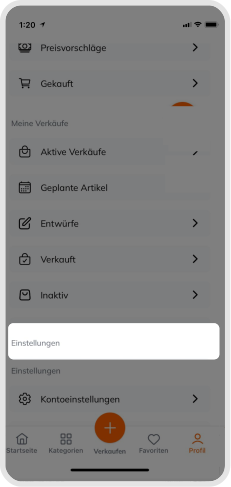
After clicking on the profile icon from the submenu, you can see the Fee section.
- Open the profile menu and select the Fees section in the submenu.
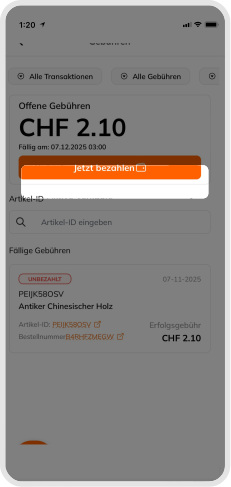
- Check the due commission amount and click Pay now.
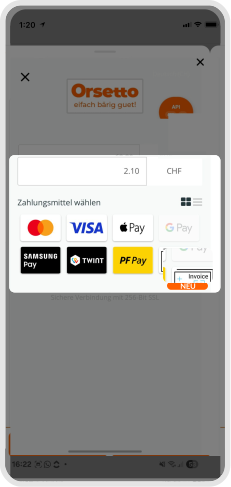
- In the window that appears, several payment methods are listed. Choose Invoice here.
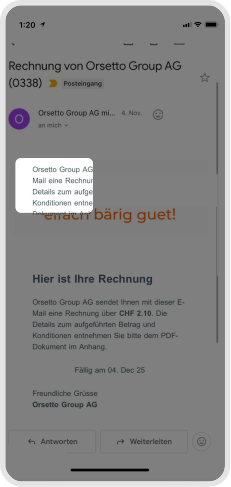
- Shortly afterwards you will receive an email from Payrexx (noreply@payrexx.com) with the subject Invoice from Orsetto Group AG. The email contains a PDF invoice (e.g., invoice_0338.pdf).
- Open the PDF file. At the bottom of the invoice you will find the bank details of our payment provider Payrexx AG, which you can use to make the payment on behalf of Orsetto.
- Open your banking app (or scan the QR code) and complete the transfer.
Tip
Enter the reference number (Reference / RF ...) completely and correctly. Please create only one invoice for each outstanding commission amount. If you do not receive the invoice by email or accidentally create multiple invoices, please contact us before creating another one.
The amount must match the value stated on the invoice exactly (e.g., CHF 2.10).
Processing time
- Transfers are processed within 1–3 business days depending on the bank.
- Once your payment has arrived, your account is updated automatically.
- Afterwards you receive a confirmation email with the subject Commission paid.
- You can also download your invoice as a PDF from your Orsetto account at any time.
Good to know
All payments from CHF 1.50 are securely processed via Payrexx. The correct reference number ensures that your transfer is assigned automatically.
Was this article helpful for you?
Articles you might be interested in
Need More Help?
If you need any further assistance, we will be happy to help you.