1 min read
What do the symbols in the listing statistics mean?
In the overview of each listing, you'll see three small icons that help you understand how visible and popular your product is:
• Eye: Shows how many times your item has been displayed on Orsetto – for example, on the homepage, in categories, or in search results.
• Arrow (Clicks): Indicates how many times someone clicked on your listing and opened the product detail page.
• Heart: Shows how many users have saved your item as a favorite.
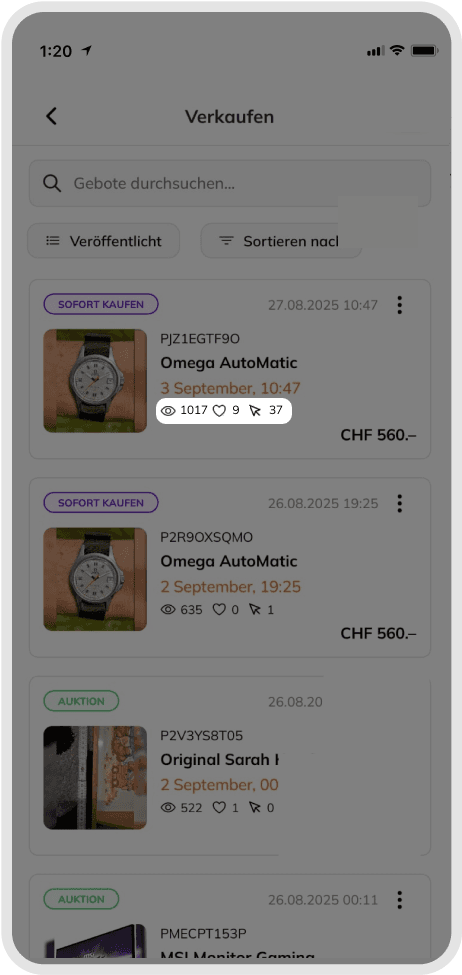
These numbers give you valuable insights:
• Many views, few clicks: Your product is often displayed but rarely opened – consider a more eye-catching main photo or using a Boost.
• Many clicks, few favorites: People view your listing but don't save it – check your price or description.
• Many hearts: Your product is popular and likely to sell soon.
Good to know
Use these statistics to optimize your listings and attract more buyers.
Was this article helpful for you?
Articles you might be interested in
Need More Help?
If you need any further assistance, we will be happy to help you.