
1 min read
Where can I find the seller's information?
As soon as you have purchased a product or won an auction, you will find all the important information about the seller directly in your order.
For find the seller information, you can follow the steps:
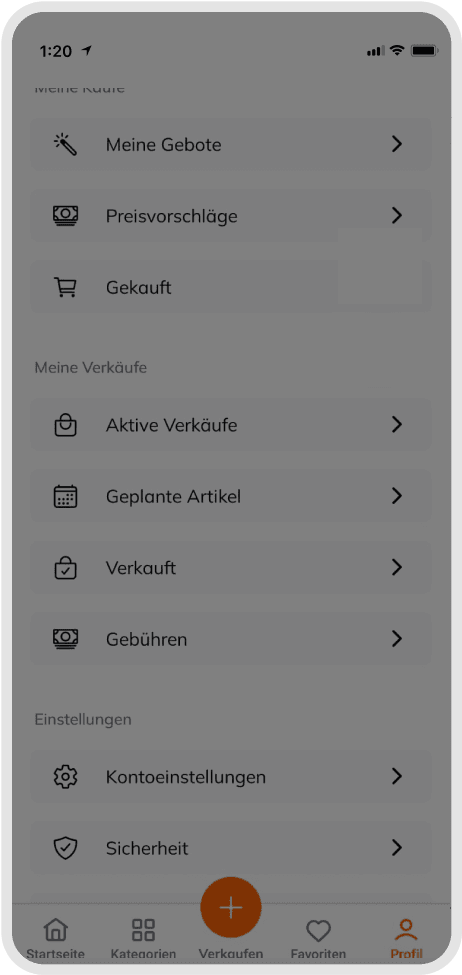
- Go to the Profile section from the bottom menu and click "Bought"
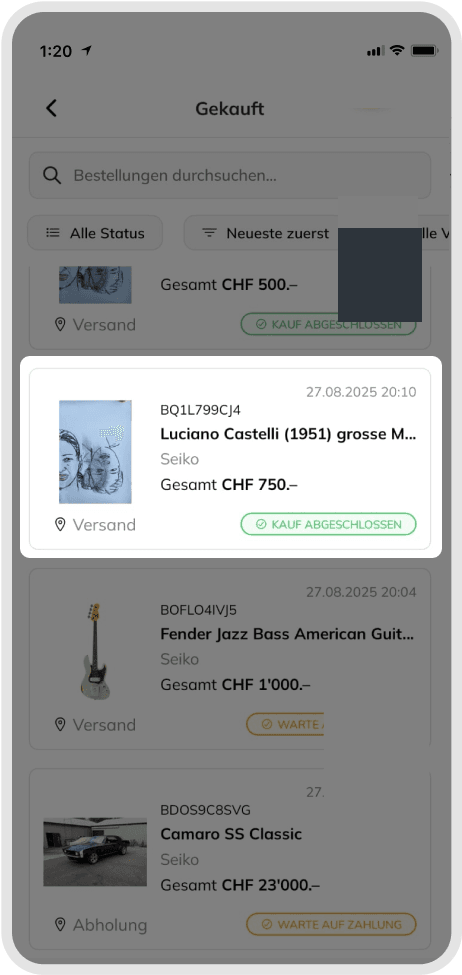
- After clicking "Bought" section, find your order and click.
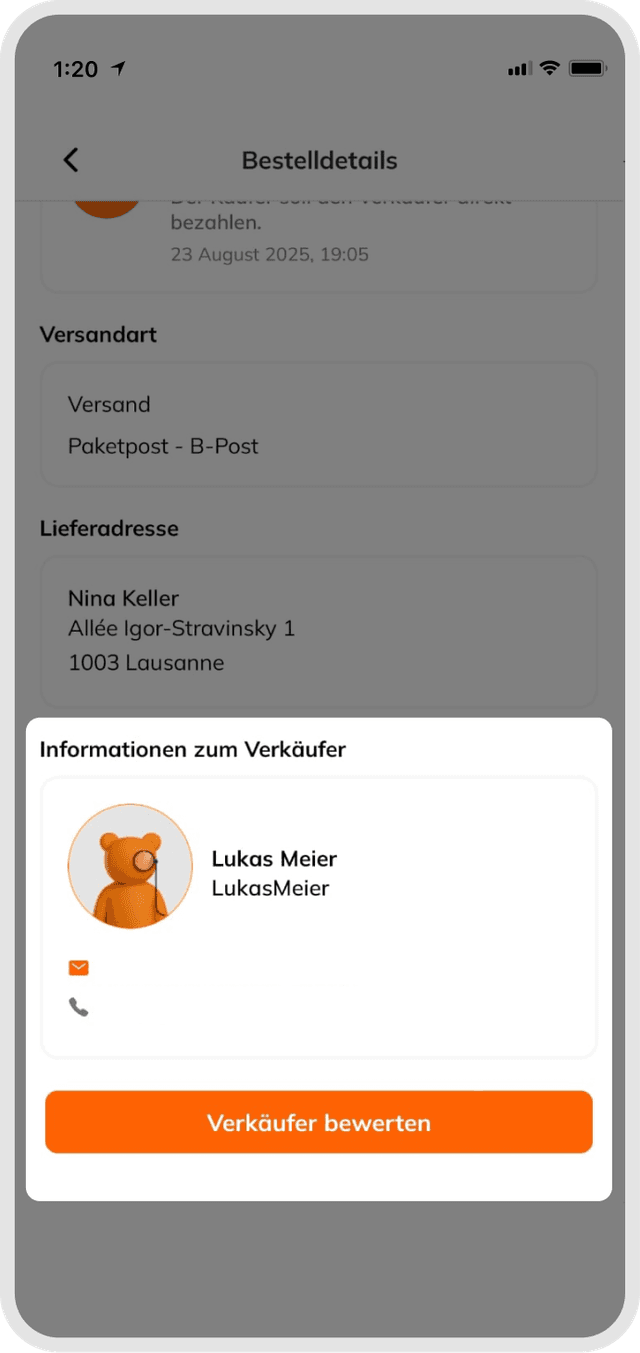
- You will see the order detail page, this page contains a lot of information such as IBAN information etc. You can also find the seller information at the bottom of the page.
Good to know
This way, you can easily get in touch with the seller after the purchase to discuss the next steps.
Was this article helpful for you?
Articles you might be interested in
Need More Help?
If you need any further assistance, we will be happy to help you.