
2 min read
How can I block a user ?
There may be situations where you want to block a user – for example, if you receive unwanted messages or wish to prevent further interactions.
Blocking affects future actions only and does not change any existing purchases or ongoing cases.
What does blocking do?
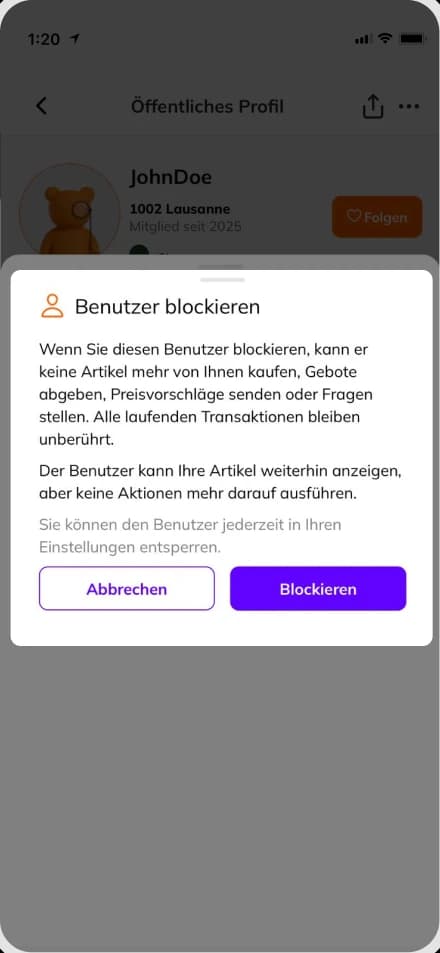
- The blocked user can no longer make purchases from you.
- They can no longer send you messages or questions.
- Existing orders or open issues remain unchanged.
How to block a user:
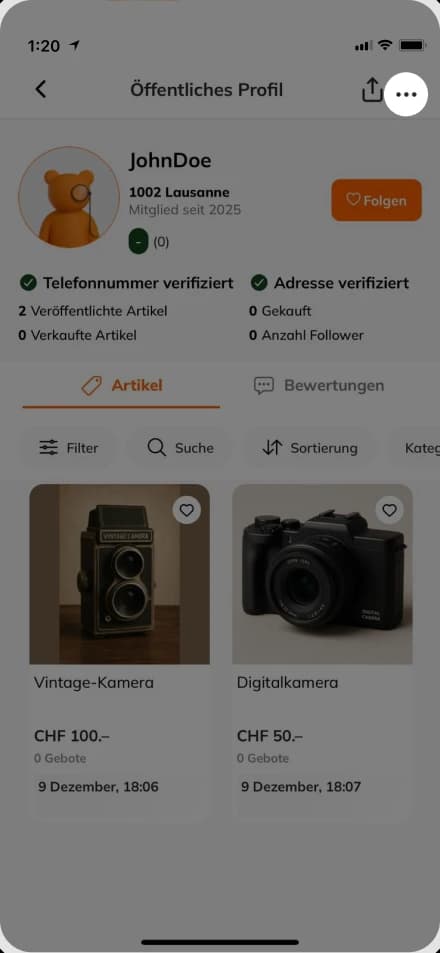
- Open the user’s public profile. (Figure 1)
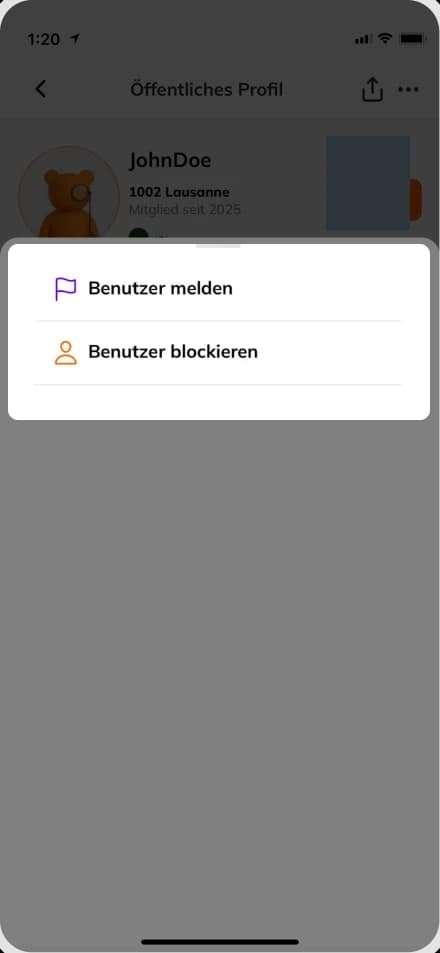
- Click on the three dots (⋯) in the upper right corner. (Figure 2)
- Select “Block user” from the menu. (Figure 3)
After confirming, the user is blocked immediately.
Good to know
Blocking is one-sided – the user is not notified. Blocking does not cancel ongoing transactions. You can unblock the user at any time.
Was this article helpful for you?
Articles you might be interested in
Need More Help?
If you need any further assistance, we will be happy to help you.