
1 min read
How can I delete my account?
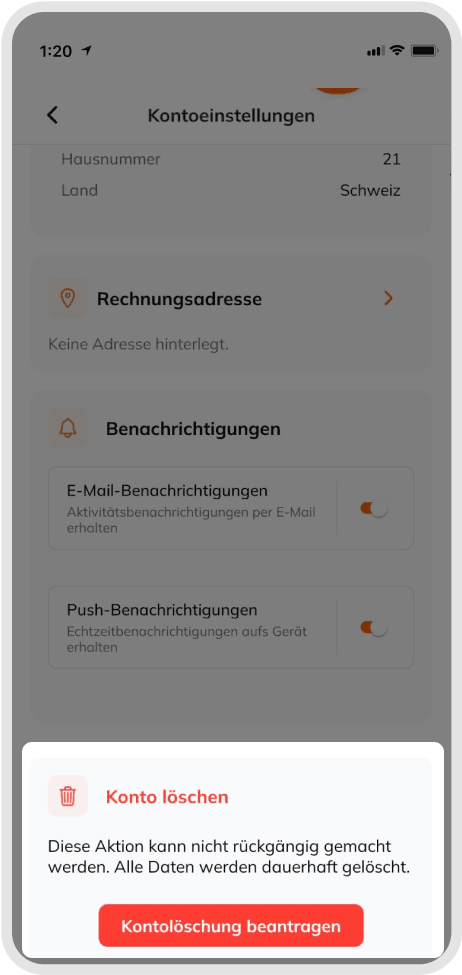
If you'd like to permanently close your account, please note that this action is final and cannot be undone.
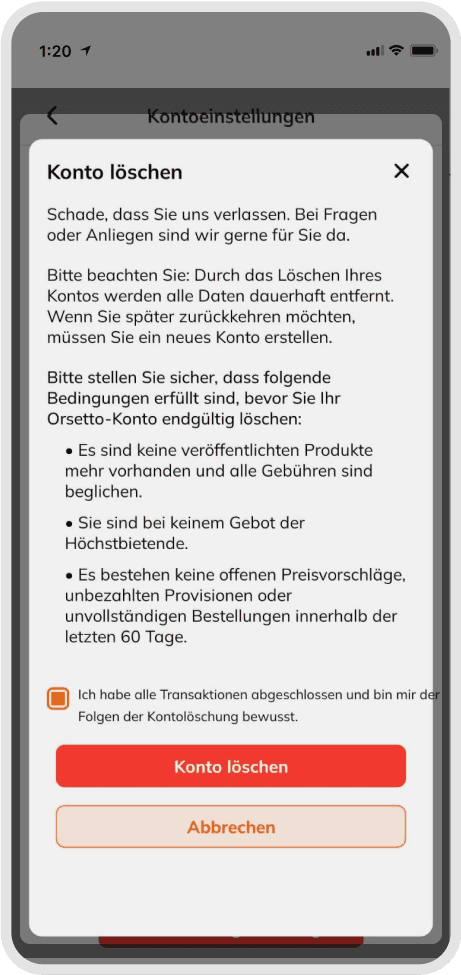
Requirements before deletion
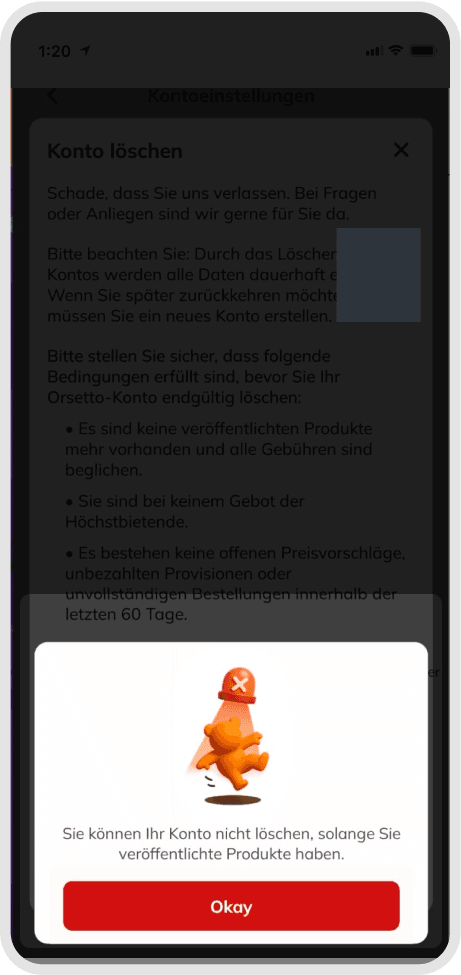
- You must have no active or published listings.
- All fees and commissions must be paid.
- You cannot be the highest bidder on any item.
- There must be no open price suggestions.
- There must be no unpaid commissions or uncompleted orders within the last 60 days.
Steps to delete your account
- Go to Profile → Account settings → "Delete account".
- Review the information on the confirmation page and confirm the action.
- Once complete, you'll receive a confirmation email.
Good to know
Before deleting your account, please download any important documents, such as invoices or order summaries. If you see a message about open items, check for active listings or unpaid amounts and resolve these before trying again.
Was this article helpful for you?
Articles you might be interested in
Need More Help?
If you need any further assistance, we will be happy to help you.