
4 min read
Creating an Orsetto account
To create an Orsetto account all you need is your email address. Once your account is set up, you can buy, sell, and enjoy all the benefits of being an Orsetto member.
You'll be able to use Orsetto Profile to keep track of your buying and selling activity, add your unique products, save your favorite items and sellers, and watch up to all items you're thinking about buying.
Create an Orsetto account
Creating an Orsetto account is quick and easy. Use the button below to get started.
You can also follow the instructions below to create your account:
Tip
Before you can start buying and selling, you'll need to verify your account. After verification, you can complete your profile and access numerous products, buy them or sell them.
Creating an Orsetto account
When you download and open the app, you will be greeted by a small onboarding screen: "Welcome!"
- After completing the onboarding screen, you will be automatically redirected to the Home page.
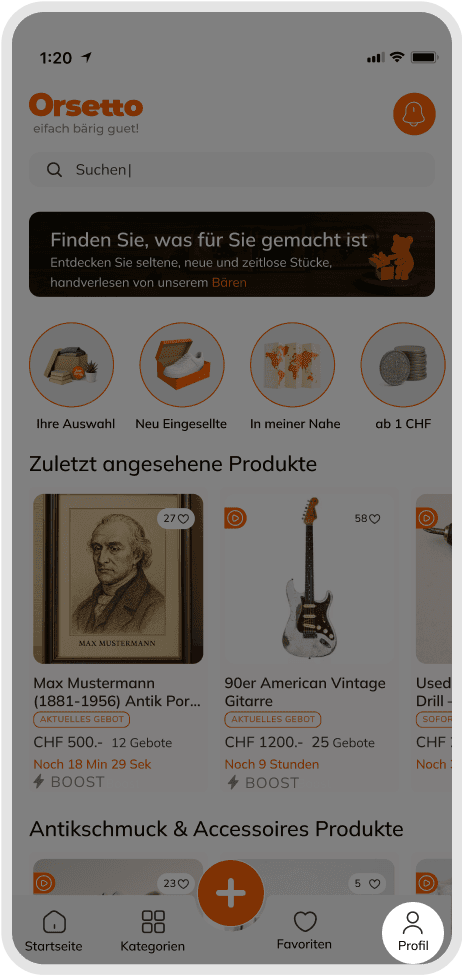
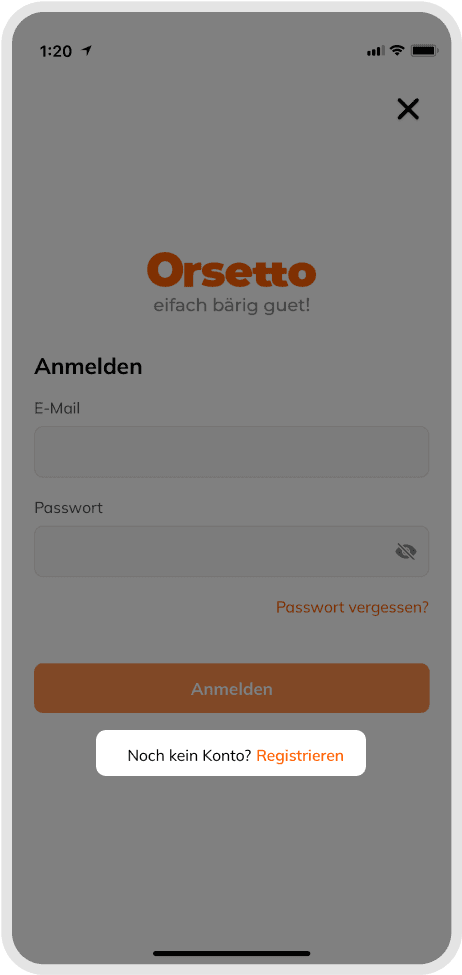
- Go to the Sign Up screen by tapping the Profile icon on the Home page.
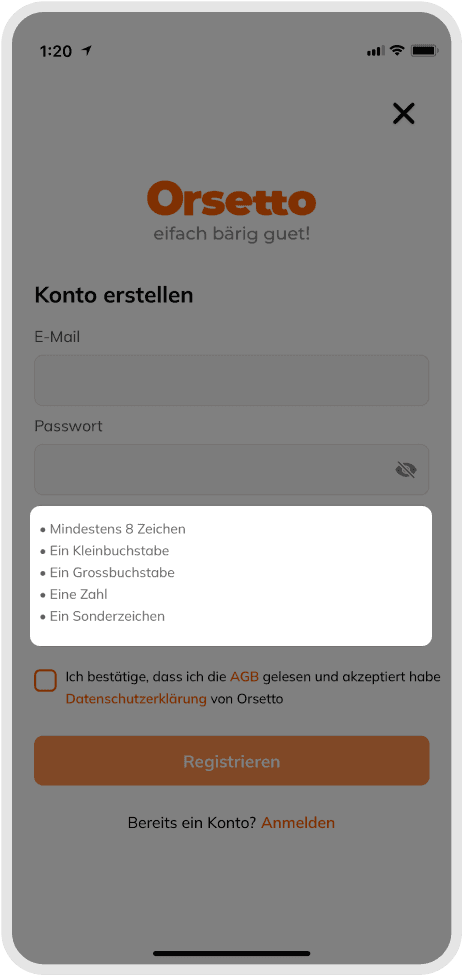
- Enter your email address and choose the password you want to use. (Make sure you meet the password requirements.)
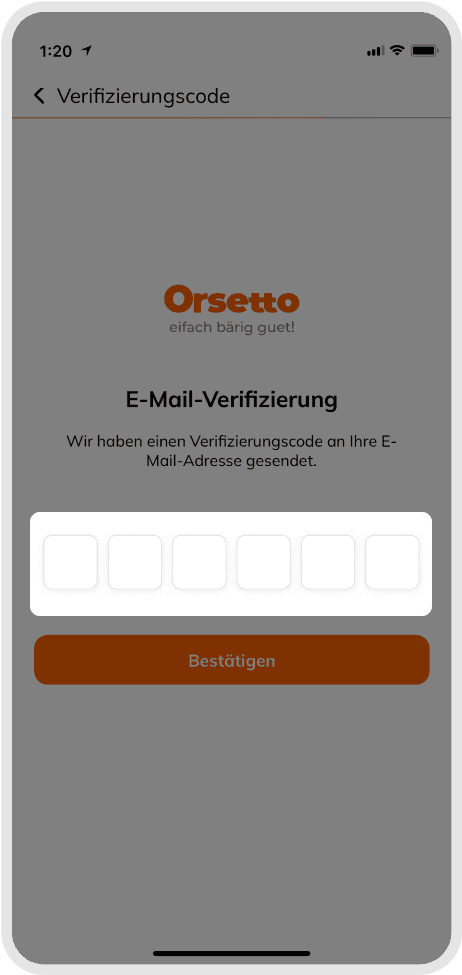
- To register, enter the 6-digit confirmation code sent to your email address in the relevant field.
- If the code is being sent automatically, it will appear on the screen.
- If not, please check your spam/junk folder.
The figure numbers below the images represent the steps. By following the images and steps, you can achieve better results.
Registering as a business
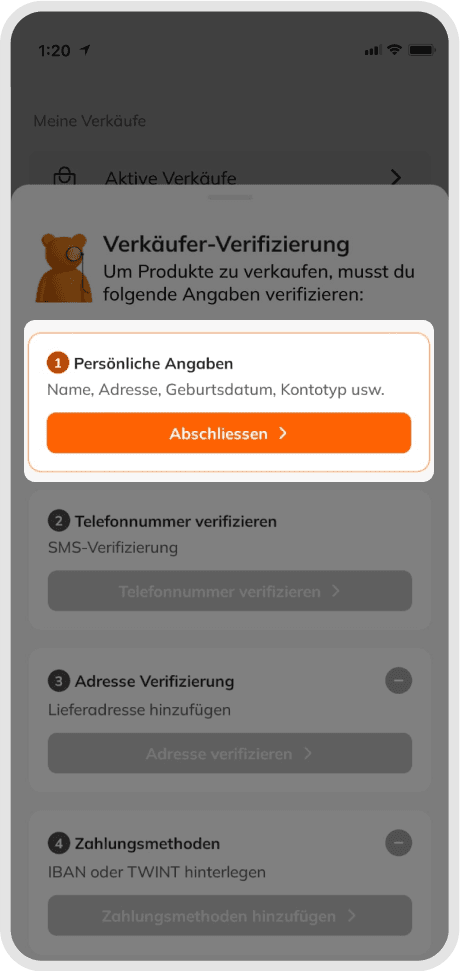
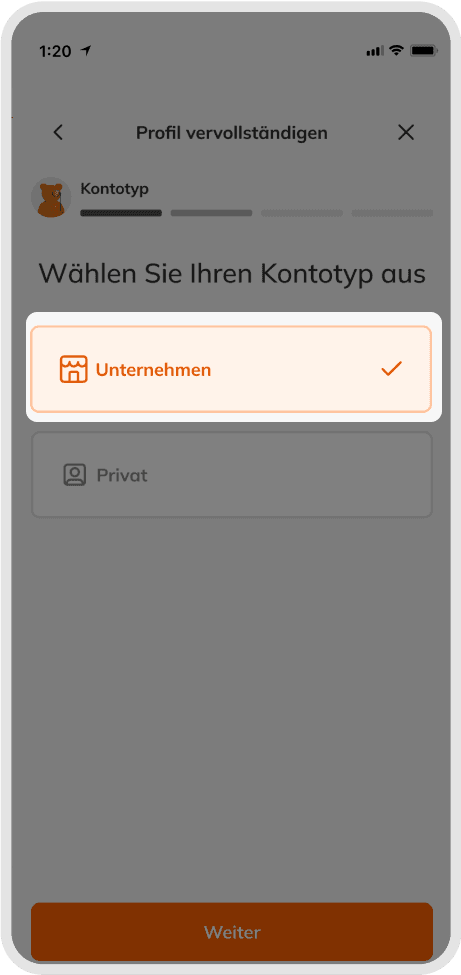
When you complete the registration process, you must verify your account to indicate whether you have a business account or an individual account.
- Click on the Verify Your Account tab in the Profile tab. See figure 5
- Select the business tab from the tags above and fill in the required information in next steps.
You must verify your profile to be able to sell and buy products.
Verify your address
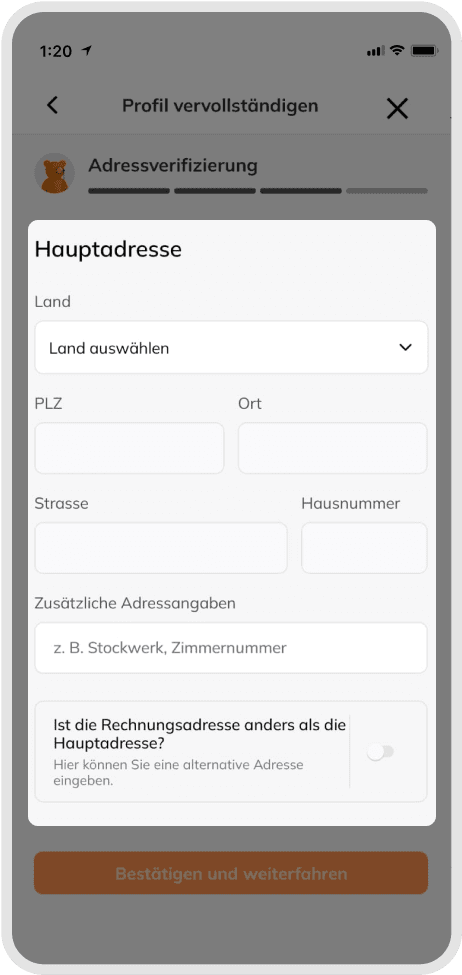
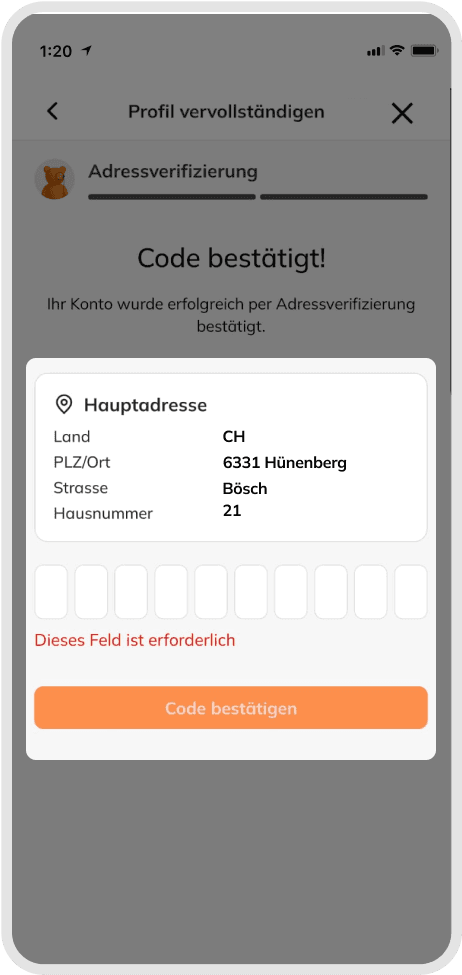
When entering your profile information, you'll provide various details, including your email address, phone number, and address (additional business information is required for business accounts). Once you've entered this information into the system, you'll need to verify it to prove your identity before you can buy or sell products. To verify your address:
- Fill in your address information in the Verify Your Account section. See figure 7
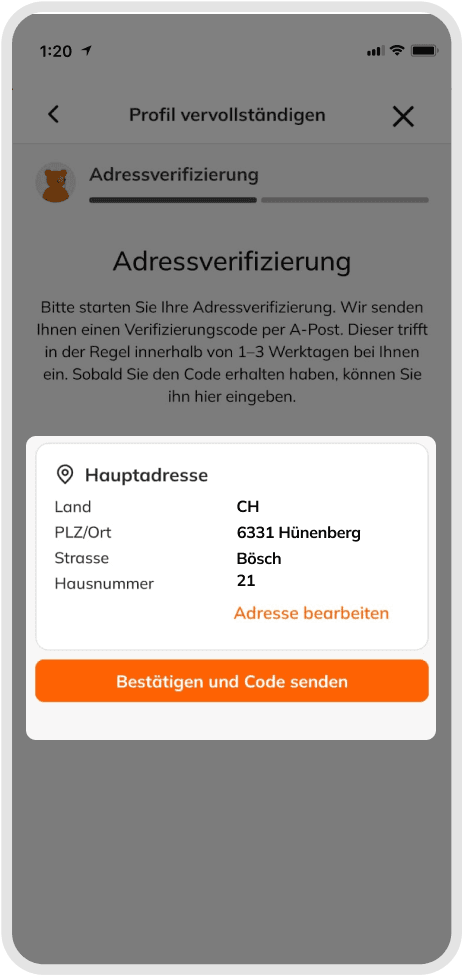
- After filling in your information, select verify my address
- Enter this 10-digit code that comes to your home via mail in this section.
An A-post containing the verification code will be sent to the address you entered for address verification. This A-post will take 1-3 business days to reach you.
Changing from a personal account to a business account
After completing the membership and verify your account steps, if you want to switch your personal account to a business account, you can contact us via e-mail or call our customer service at +49 846 823.
If you want to convert your business account to a personal account, you can follow the same steps above.
Getting started on Orsetto
Once you've signed up for an Orsetto account, you can get started buying and selling on Orsetto. Check your inbox for a welcome email from us with some tips on getting the most out of your account, and you can find more information on mastering the basics by taking a look at the articles below. Welcome to Orsetto! - einfach bärig guet!
Opening a second Orsetto account
On Orsetto, you can register multiple accounts, just make sure each one uses a different email address and username.
All you need to do is sign out of the account you're currently using, go to the Registration page, and follow the steps above to create a new account.
Please note that you must not use more than one Orsetto account for the same listing. For example, you cannot place offers on an item from multiple accounts or buy from yourself using another account. See our Multiple Accounts Policy for more details.
You cannot open a new account with the phone number and email address you currently use on your account.
Good to know
To open an Orsetto account, you only need a few details such as your contact address, phone number and email address. To open a business account, you'll also need your business name, type of business, and your VAT number.
Was this article helpful for you?
Articles you might be interested in
Need More Help?
If you need any further assistance, we will be happy to help you.